How to create a MCP server and MCP tools from scratch?
Table of contents
How to create a MCP server and MCP tools from scratch?
Why create an MCP server?
An MCP server lets you connect an LLM or AI to real-time data, personal data, or other data sources.
I wrote a post explaining how the Model Context Protocol (MCP) works internally if you want more details.
Here, I’ll walk through creating an MCP server. We’ll build one that solves a well-known LLM issue: counting the number of ‘r’s in variations of “strawberry”, like strawberrrry or strawberrrrrrry.
Counting letters is trivial for humans, but LLMs often get it wrong because they work with tokens, not characters. AI can create art and code even though it’s not a conscious entity , yet it struggles with simple counting - a good example to learn from.
Requirements
Start with a Node project. Run npm init -y and create an index file with
touch
:
.
├── index.js
├── package.json
└── package-lock.json
Set package.json as a module
In package.json, add "type": "module" so Node treats files as ES modules:
{
  "type": "module"
}
Install dependencies
Install the official MCP TypeScript SDK and zod for schema validation:
npm install @modelcontextprotocol/[email protected] [email protected]
Create an MCP server
Create a new McpServer instance:
import { McpServer } from "@modelcontextprotocol/sdk/server/mcp.js"
import { z } from "zod"

const server = new McpServer({
    name: 'Strawberry Count',
    version: '1.0.0'
})
Create MCP tools
Define a tool that counts ‘r’s. The LLM uses the tool’s name, description, and parameter descriptions to know when and how to call it.
server.tool(
    "Strawberry Count",
    "Count the number of r's present in a strawberry variant",
    {
        param: z.string().describe("The strawberry variant, it can have a variable number of r's")
    },
    async ({ param }) => {
        const count = param.toLowerCase().split("").filter(letter => letter === "r").length
        return {
            content: [
                {
                    type: 'text',
                    text: `The word has: ${count} r's`
                }
            ]
        }
    }
)
The LLM extracts the parameter from the user’s input using the description passed to z.string().describe(). You can replace this with anything useful - fetch data from an API, read files, query a database, or call another service.

Run the MCP server
For this example, use STDIO transport. Import it and connect the server:
import { StdioServerTransport } from "@modelcontextprotocol/sdk/server/stdio.js"

const transport = new StdioServerTransport()
await server.connect(transport)
Connect to Claude Desktop
To use this server in Claude Desktop, edit claude_desktop_config.json:
{
  "mcpServers": {
    "strawberry-count": {
      "command": "npx",
      "args": [
        "-y",
        "node",
        "<full_path_to_index.js>"
      ]
    }
  }
}
For TypeScript, use tsx instead:
{
  "mcpServers": {
    "strawberry-count": {
      "command": "npx",
      "args": [
        "-y",
        "tsx",
        "<full_path_to_index.ts>"
      ]
    }
  }
}
Test with MCP Inspector
The MCP Inspector lets you test and debug MCP servers without an LLM. Run it with:
npx -y @modelcontextprotocol/inspector npm index.js
Or pass the file path directly. If the CLI form doesn’t connect, use the inspector’s UI to set the transport type and command manually.
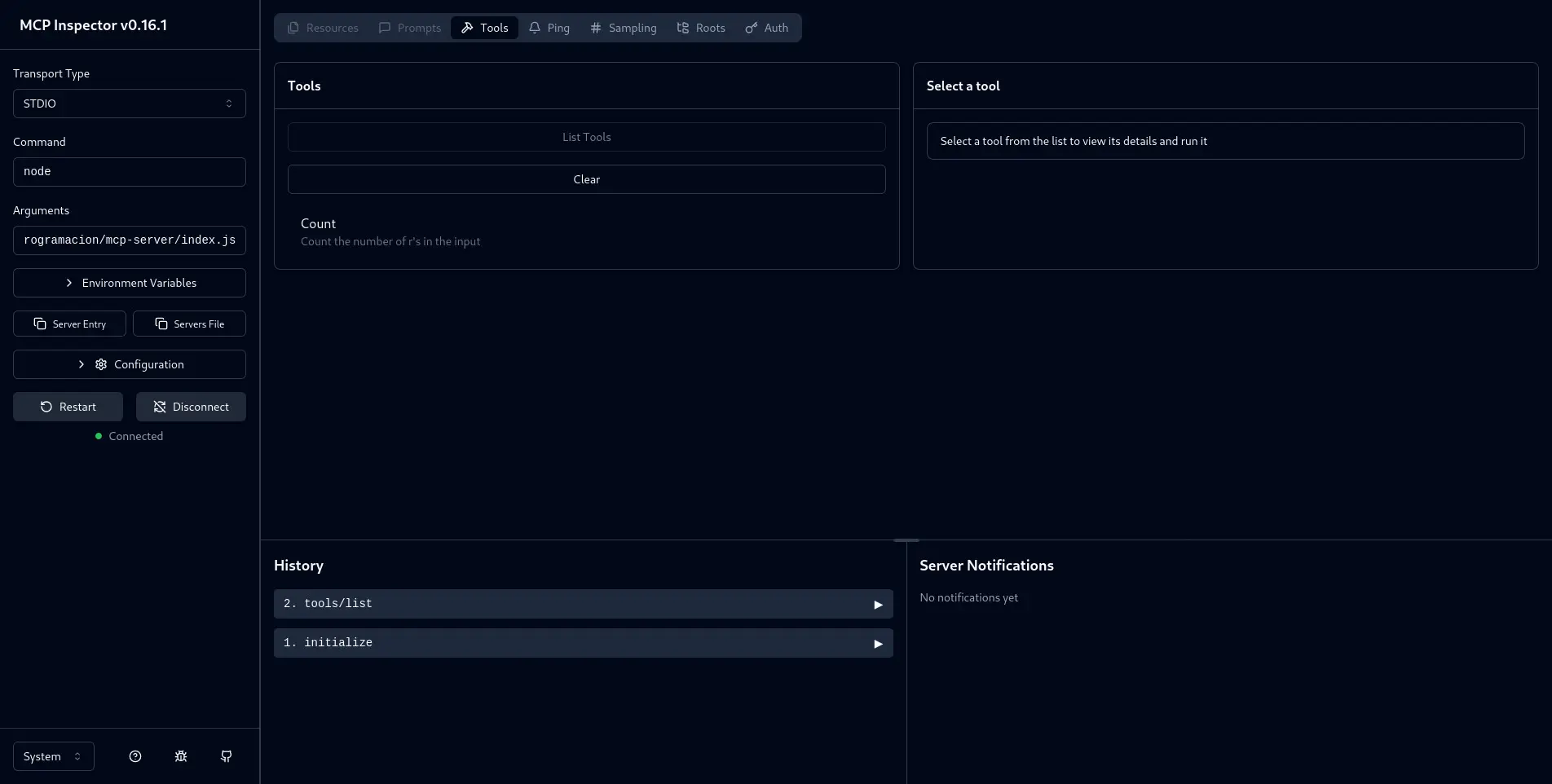
After it starts, open it in your browser (usually on port 6274). Click “List tools” to see your Strawberry Count tool. Select it, pass a string with r’s, and run it to see the result.
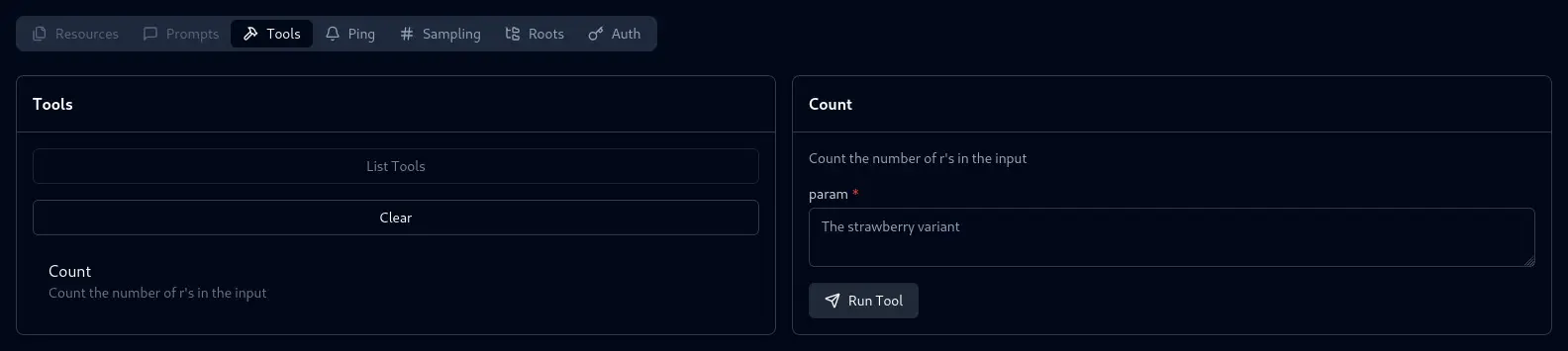
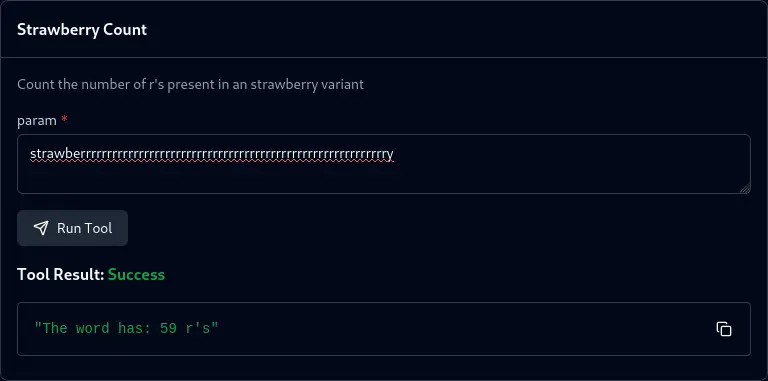
The server returns the correct count. In a real client like Claude Desktop, the LLM would parse the user’s request, call the tool with the right parameter, and return the result.
Related posts
-

-

-

-

-

-