REST API basic characteristics and recommendations
Table of contents
REST API basic characteristics and recommendations
This is a concise guide of practical tips on REST API design, focused on the characteristics of a REST API. I won’t go too deep into the theory. Additionally, I may oversimplify some concepts to keep the text as short and simple as possible.
In the next post I’ll cover some more subjective topics such as: how to return JSON correctly, how to nest an API, and the different ways to version a REST API.
What is an API?
The term API stands for application programming interface, and consists of a set of rules that define how applications and/or devices communicate with each other.
There are different types of APIs
There are many types of APIs and new paradigms are appearing all the time. REST is one of them, but it’s not the only one.
REST is special because it has managed to stand the test of time and position itself above the rest (pun not intended), but no one knows what will happen tomorrow; maybe we will rewrite all APIs in Rust.
To this date, there are still protocols that work with POST requests, such as the Model Context Protocol , used to standardize the communication between a client and an LLM.

REST paradigm was created around year 2000
What is a REST API?
A REST API is an API that follows the REST design standard (Thank you, captain obvious!), but what is REST? REST is an architectural style that must comply with a set of characteristics that I’ll cover in the following sections.
What are the characteristics of a REST API?
Not all APIs are REST APIs. Many developers, at all levels, use the term interchangeably to refer to any server that returns JSON, or even action-oriented APIs such as RPC or gRPC . Even large companies like Twitter and Facebook don’t meet all the characteristics of a REST API, despite advertising their APIs as such.
If you already know the brief technical part, skip this section.
If we want to design a REST API we have to follow a set of characteristics that define this design style. I’ve summarized them briefly below:
- System with client-server architecture. A system consisting of two parts: one that requests information and the other that provides it.
- Stateless: The result of a request must not depend on previous requests. That is, the client must provide everything necessary for the server to process the request, and the server must not store any session information.
- Cacheable: It must be possible to mark a response as cacheable so it can be reused for subsequent, similar requests.
- Uniform interface for all clients. URIs (not to be confused with
URLs
) must refer to resources, and each resource must have a unique URI. A resource can be a post, a user, a product, etc. The server, for its part, sends representations of the resources (XML, JSON, TXT, etc.), never the original resource. The client must be able to modify the original resource from the representation it receives from the server.
- Access and modification of resources through a URI: Remember that the resource itself and its representation are different things. The client can specify the type of representation (XML, JSON, TXT, etc.) that it wishes to receive from the server.
- Self-describing messages: Each message must contain enough information for the client to understand how to process it.
- Use of Hypermedia resources (HATEOAS): the use of hyperlinks in the response that point to related resources, so that the client can navigate the API from the responses it receives from the server.
- Layered system: In REST APIs, requests and responses go through different layers. The client and the server must be agnostic about the intermediary layers that exist between them.
- Code on Demand (optional): the server could send code, in the form of scripts or components, to extend the functionality of the client.
If you want to delve deeper into each of these points, here are some resources that may be useful:
In English:
In Spanish, if you’re one of Duo’s friends:
- Understanding REST. The Architecture Style
- Designing and developing an API from scratch
- Understanding REST stateless server
- Understanding REST cacheable services
- REST Design Principles
Having summarized the basic features, let’s move on to practical tips.
What are the correct status codes for a REST API?
Do not return a 200 code in all your API responses.
As you know, each HTTP response has a numeric value that defines it, these values can be grouped in ranges from 100 to 600.
Our API must return the correct status codes that tell the client what is happening.
There are probably some status codes that you’ll never use, but you should be familiar with at least the most common ones:
- 200 OK, status ok, the request was successful.
- 201 Created, a resource was created
- 204 No Content, Request completed successfully, but there is no content to return.
- 301 Redirect, Permanent redirect
- 302 Found, temporary redirect
- 400 Bad Request, server received a malformed request
- 401 Unauthorized, you are not authenticated (not logged in)
- 403 Forbidden, you do not have the proper permissions (the user lacks the necessary permissions)
- 404 Not Found, the requested resource was not found
- 500 Internal Server, Error from the server
There are many more HTTP status codes worth knowing about . Be sure to check them out.

Code 418: I’m a teapot
Returns clear messages on errors
When returning an error, make sure you clearly and explicitly inform your API user about what went wrong and how to fix it.
{
  "error": {
    "type": "Validation Error",
    "code": "Error-0123",
    "message": "La contraseña debe tener más de 6 caracteres y contar con al menos un dígito",
    "documentation_url": "http://example.com/docs/errors/E-0123"
  }
}
Use the appropriate HTTP methods for a REST API
Don’t limit yourself to receiving only POST and GET requests in your API; there’s an HTTP method for each CRUD action.
The HTTP methods we receive as part of the HTTP request will indicate the instructions to be performed by the server.
- GET: Read a resource
- POST: Create a resource
- PUT: Create a new resource or update it if it already exists.
- PATCH: Edit a part of a resource
- DELETE: Delete a resource
- HEAD: Like GET but without retrieving the resource body.
- OPTIONS: Ask the server which methods it supports before making requests to it
For details on each method consider reviewing the official documentation on HTTP request methods .
Use plural nouns, not verbs for URIs.
A REST API represents resources, so we should always refer to resources using plural nouns.
Actions are specified in HTTP methods, so leave them out of your URIs.
# NOT REST ❌
/create-videogame # This is not REST, but RPC ❌
videogame/create # This is not REST, but RPC ❌
videogame/delete # This is not REST, but RPC ❌
For the sake of clarity, use the plural form of nouns to refer to resources.
# Incorrect, singular ❌
videogame
# correct way ✅
videogames
Avoid underscores and always use lowercase.
In Mark Masse’s REST API Design Rulebook: Designing Consistent Restful Web Service Interfaces , he establishes as a “rule” the use of lowercase in URIs and discourages the use of underscores, because some devices underline clickable links, which can make underscores in URIs difficult to see.
VIDEOGAMES❌
popular_videogames❌
videogames✅
Trailing slash or not?
There are differing opinions on this.
In the REST API Design Rulebook: Designing Consistent Restful Web Service Interfaces, the use of a trailing slash at the end of URLs is strongly discouraged.
Where does the trailing slash come from? Historically, the version without a trailing slash has been used to refer to files.
videogames
While a trailing slash refers to directories.
videogames/
On the other hand, Google is more permissive in its article on trailing slashes . It is totally indifferent to the use or absence of a trailing slash; however, it emphasizes the importance of being consistent, since URLs with a trailing slash and without one are considered different URLs by search engines.
Pick one and stick to it. Consider using a redirect (301) from one type of URL to another, but always be consistent.
Trailing slash at the root
At the root URL, it doesn’t matter if a trailing slash is used or not.
Root URLs are treated as the same by search engines, whether they have a trailing slash or not, so make sure they return the same content.
https://yourdomain.com/
https://yourdomain.com
Avoid file extensions in URLs
Do not use the URI to specify the type of resource requested by its extension. Remember that one thing is the resource itself and another is its representation.
/resource.txt❌
/resource.json❌
/resource.xml❌
So how do you request a specific format in a REST API?
The client requests the type of representation via headers.
The representation of the resource to be returned will depend on the Accept header of the client, so we can return different types of representations of the same resource, in the same URI.
GET /v1/resource HTTP/1.1
Host: api.example.org
Accept: application/json

*GET /v1/resource HTTP/1.1
Host: api.example.org
Accept: application/xml
HATEOAS and its relationship with REST APIs
HATEOAS stands for Hypermedia As The Engine Of Application State.
What is it? When you visit a web page, it contains internal links to other pages of the website, usually related content such as videos, audio, and images, making navigation more fluid.
Example of internal links in a web page
HATEOAS tells us that our clients should receive an API response from which they can access other related resources via hyperlinks.
This does not necessarily mean a URL; it can be a file, an FTP address, or others. But, yes, for practical purposes you’ll probably be using URLs most of the time.
In other words, our API responses must be navigable, and they should also show the available actions.
{
    "id": 1,
    "name": "Eduardo",
    "lastname": "Zepeda",
    "posts": [
        {
            "post": "http://api.example.org/post/1"
        },
        {
            "post": "http://api.example.org/post/2"
        }
    ]
}
How to document your REST API
Every API should be documented. Documentation should be clear and easy to understand. Fortunately, there are tools that simplify this process, allowing you to document the most basic aspects of your API automatically.
- OpenAPI (Formerly Swagger)
- ReDoc
- Aglio
Consider implementing them in your project.
There are even frameworks like FastAPI that include documentation by default

Interface generated by Open API
How to test a REST API?
Each endpoint of your API should be tested. Make sure they return the correct status codes for each combination of HTTP method and user type (authenticated, anonymous, no permissions, etc.). For testing you can always rely on classic solutions such as HTTPie or Curl.
For a more visual and user-friendly approach, consider using specialized tools such as Postman, Insomnia, or Hoppscotch.
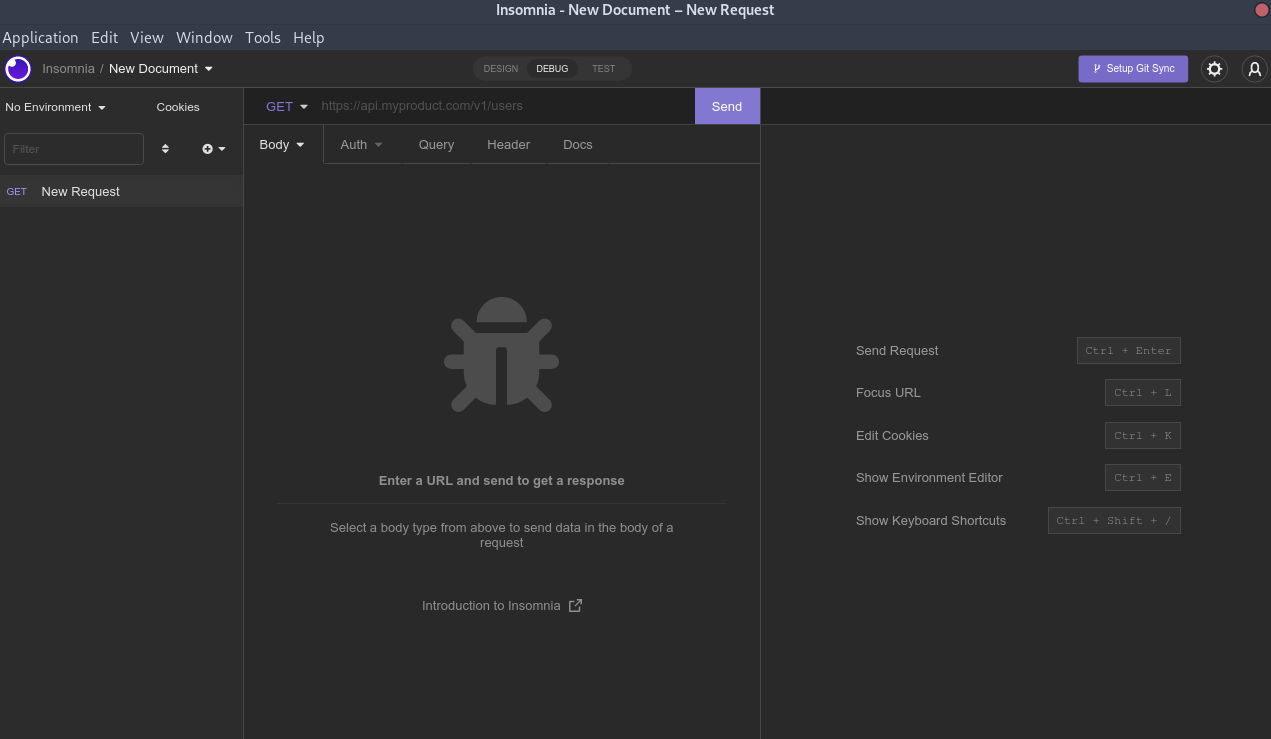
Insomnia GUI, API testing tool
To keep this post from getting too long, the next post will cover some more subjective REST API design and best practices topics such as: how to return JSON correctly, how much to nest an API, and what are the ways to version an API.
Reference sources
Related posts
-

-

-

-

-

-