Understand How Git Submodules Works and its Workflow
Table of contents
Understand How Git Submodules Works and its Workflow
A Git submodule is a record in a Git repository that points to a specific commit in an external repository. Submodules are tracked like separate repos - each has its own .git file pointing to where Git stores its data.
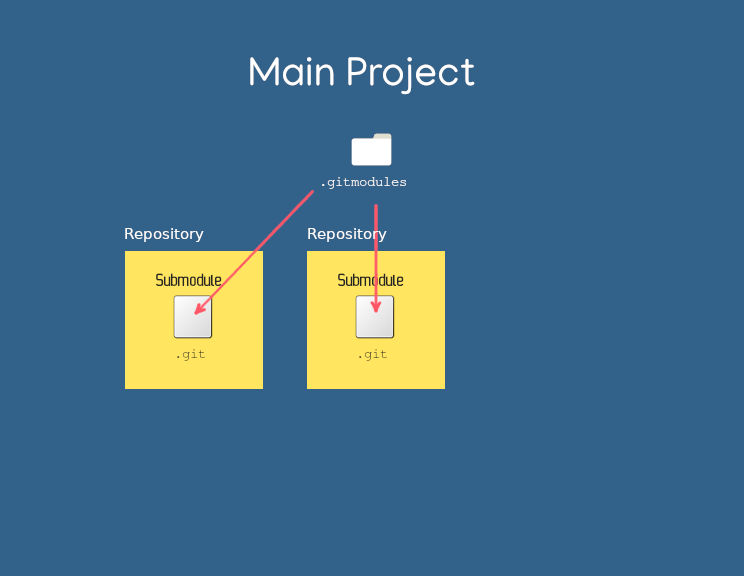
Simplified outline of git submodules
Use submodules when you want to include third-party code while keeping control over which commit to use. Common cases:
- Shared themes/styles (like in Hugo static sites)
- Third-party libraries
- Repos used in a Dockerfile
Submodules add complexity. You need to track which repo you’re in and update references carefully, especially with multiple submodules.
Adding a submodule
Use git submodule add to add a submodule to an existing repo. If the destination directory doesn’t exist, Git creates it.
git submodule add <url> <destination>
This clones the submodule into <destination>.
Structure
After adding a submodule:
.
├── .gitignore
├── .gitmodules
├── <destination>
│   ├── .git
│   ├── .gitignore
│   └── ...
The .gitmodules file
Git creates .gitmodules in the root of the main repo. It records each submodule’s path, URL, and optionally a branch:
[submodule <destination>]
    path = <destination>
    url = <repository-url>
    branch = <branch>
This file needs to be committed so others can initialize the submodules.
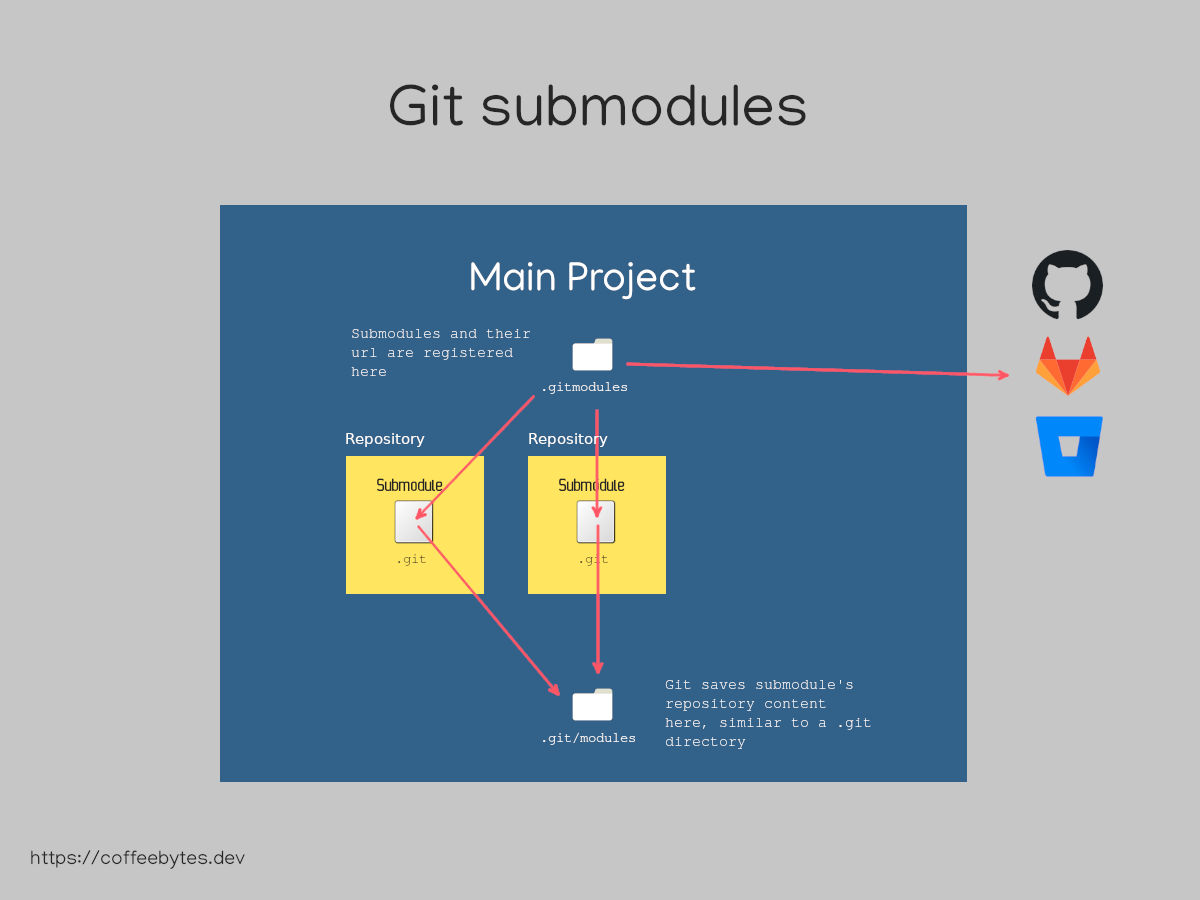
Schematic of git submodules operation
How submodules work
Inside a submodule, you’ll find a .git file (not a directory) that points to the actual Git data in the main repo:
cd <destination>
cat .git
gitdir: ../.git/modules/<submodule>
Each submodule is its own Git repository. You can branch, commit, and push inside it independently. The main repo tracks which commit of the submodule it’s using - each commit in the main repo points to a specific commit in each submodule.
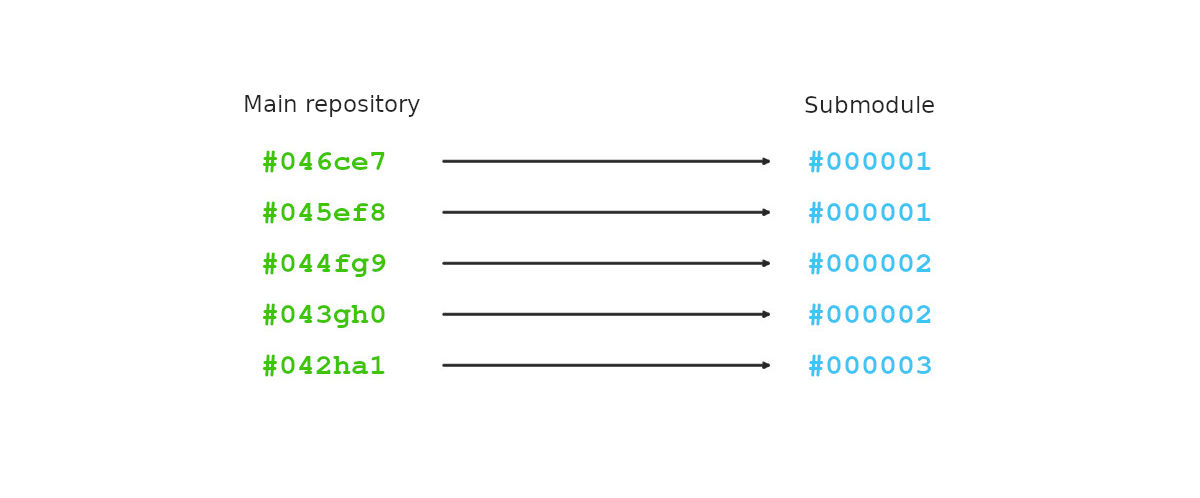
Workflow
When you change code inside a submodule, you need to update both repos. Otherwise, others will see the old submodule commit.
Committing submodule changes
- Commit and push changes in the submodule
- Go back to the main repo and commit/push the updated submodule reference
# In submodule
git add <files>
git commit -m "Update submodule"
git push

# In main repo
cd <main-repo>
git add <submodule-path> .gitmodules
git commit -m "Update submodule reference"
git push
Cloning a repo with submodules
When you clone a repo that has submodules, Git only clones the main repo - submodule directories will be empty.
Initialize and fetch submodule content:
git submodule update --init --recursive
Or clone with submodules in one go:
git clone --recurse-submodules <repo-url>
Pulling updates with submodules
A git pull in the main repo doesn’t update submodules automatically. After pulling, update them to match the commits the main repo points to:
git submodule update --recursive
To pull the latest changes from submodule remotes (if you want to track their latest commits):
git submodule update --recursive --remote
Related posts
-

-

-

-

-

-